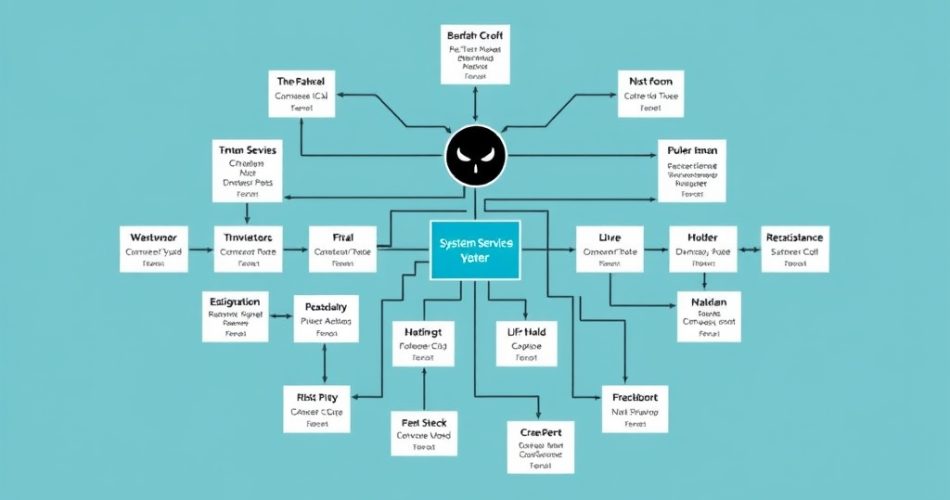
Systemd Deep Dive: Advanced Service Management on Linux
Introduction
Systemd is a system and service manager for Linux operating systems. It provides a number of features for managing system services, including the ability to start and stop services, manage service dependencies, and monitor service status. In this article, we will take a deep dive into the world of systemd and explore its advanced features for service management.
What is Systemd?
Systemd is a replacement for the traditional init system used in Linux. The init system is responsible for starting and stopping system services, and systemd provides a number of improvements over the traditional init system. Some of the key features of systemd include:
* System and Service Management: Systemd provides a number of tools for managing system services, including the ability to start and stop services, manage service dependencies, and monitor service status.
* Socket Activation: Systemd provides a feature called socket activation, which allows services to be started when a socket is connected to.
* Device Management: Systemd provides a feature called device management, which allows devices to be managed and configured.
* Mount and Umount: Systemd provides a feature called mount and umount, which allows file systems to be mounted and unmounted.
Systemd Configuration Files
Systemd configuration files are stored in the /etc/systemd directory. The main configuration file is /etc/systemd/system.conf, which contains global settings for systemd. Other configuration files are stored in subdirectories of /etc/systemd, such as /etc/systemd/system for service configuration files.
Service Configuration Files
Service configuration files are stored in the /etc/systemd/system directory. Each service has its own configuration file, which is named after the service. For example, the configuration file for the httpd service is /etc/systemd/system/httpd.service.
“`html
# cat /etc/systemd/system/httpd.service
[Unit]
Description=The Apache HTTP Server
After=network.target

[Service]
User=http
ExecStart=/usr/sbin/httpd $OPTIONS
ExecReload=/usr/sbin/httpd $OPTIONS -R
KillMode=process

[Install]
WantedBy=multi-user.target
“`
Service Dependencies
Service dependencies are used to specify the order in which services are started and stopped. Dependencies are specified in the [Unit] section of the service configuration file.
“`html
# cat /etc/systemd/system/httpd.service
[Unit]
Description=The Apache HTTP Server
After=network.target

[Service]
User=http
ExecStart=/usr/sbin/httpd $OPTIONS
ExecReload=/usr/sbin/httpd $OPTIONS -R
KillMode=process

[Install]
WantedBy=multi-user.target
“`
Unit Files
Unit files are a type of configuration file used by systemd. They are used to define a unit, which is a group of services that are started and stopped together. Unit files are stored in the /etc/systemd/system directory.
“`html
# cat /etc/systemd/system/multi-user.target
[Unit]
Description=Multi-User System
Documentation=man:systemd.special(7)
Requires=basic.target
After=basic.target
“`
Mount and Umount
Mount and umount are used to manage file systems. Mount is used to mount a file system, and umount is used to unmount a file system.
“`html
# mount /dev/sda1 /mnt
# umount /mnt
“`
Socket Activation
Socket activation is a feature of systemd that allows services to be started when a socket is connected to. This is useful for services that use sockets to communicate with other services.
“`html
# cat /etc/systemd/system/httpd.socket
[Unit]
Description=HTTP Server Socket
ListenStream=80

[Socket]
ListenStream=80

[Install]
WantedBy=sockets.target
“`
Device Management
Device management is a feature of systemd that allows devices to be managed and configured. This is useful for devices such as printers and scanners.
“`html
# cat /etc/systemd/system/printer.service
[Unit]
Description=Printer Service
After=network.target

[Service]
User=lp
ExecStart=/usr/sbin/cupsd
ExecReload=/usr/sbin/cupsd
KillMode=process

[Install]
WantedBy=multi-user.target
“`
Conclusion
In this article, we have taken a deep dive into the world of systemd and explored its advanced features for service management. We have covered topics such as service configuration files, service dependencies, unit files, mount and umount, socket activation, and device management. Systemd is a powerful tool for managing system services, and its features make it an essential part of any Linux system.

